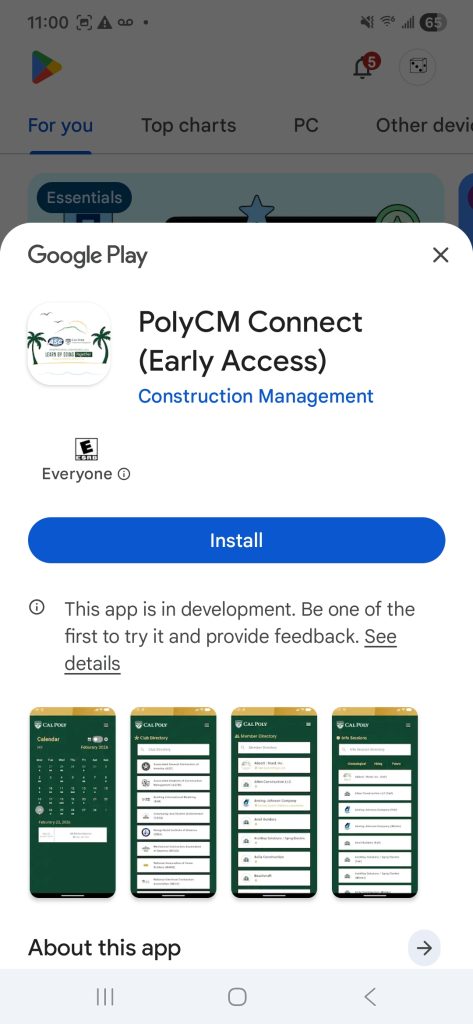
Android User App Instructions
Poly CM Connect: Your 2026 ASC Conference App!
Important Info Pre-Setup
In order to install the app, your email must be a google email (@gmail) or connected to a google.
Ensure that your active chrome profile (or profile on your browser of choice) is set to your Gmail/google account
Set-up Instructions:
1. Click on the following link: https://groups.google.com/g/polycm-connect-beta-testers
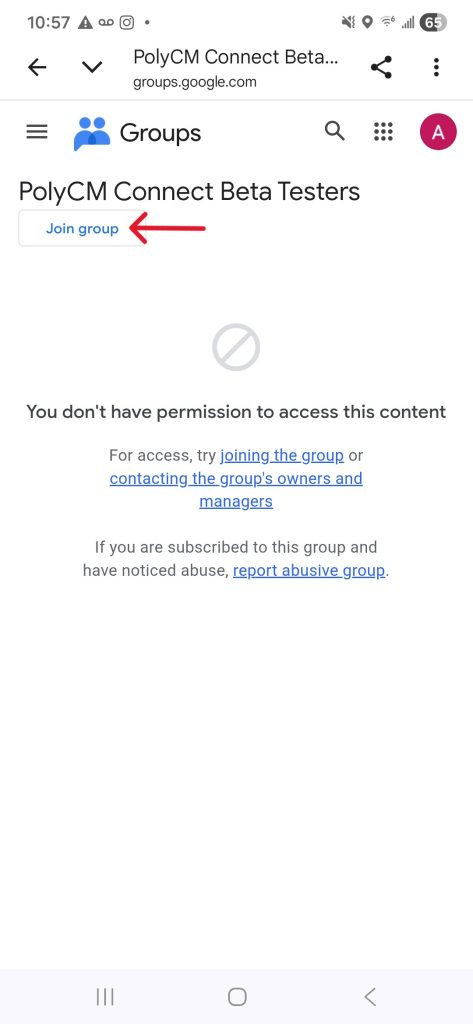
2. Click the “Join Group” button in the top left.
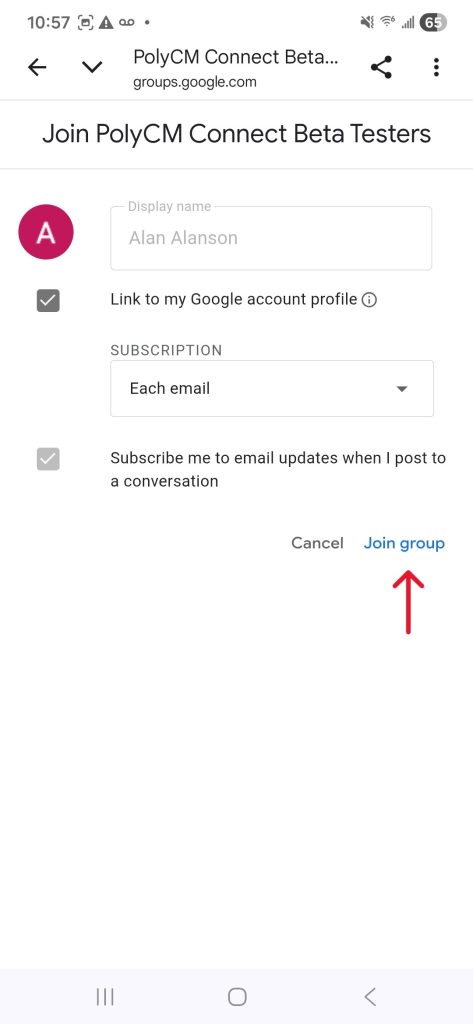
3. A pop up will appear. Leave the settings at their defaults and click join group.
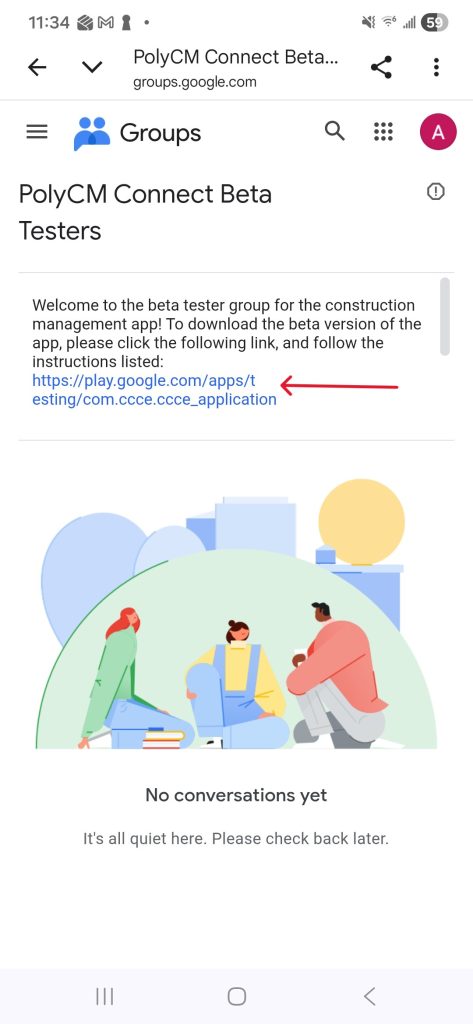
4. Refresh the page to see a welcome message. When the message appears, click the link that is listed.
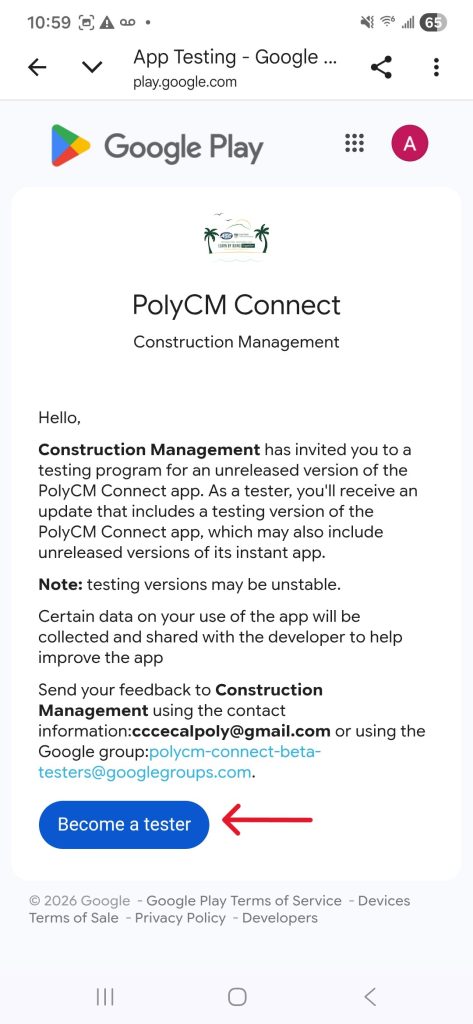
5. You will be taken to a screen that will prompt you to “Become a tester”. Click the “Become a tester” button.
6. A new page will appear, and on it is a link that says, “download it on Google Play”. Click this link.
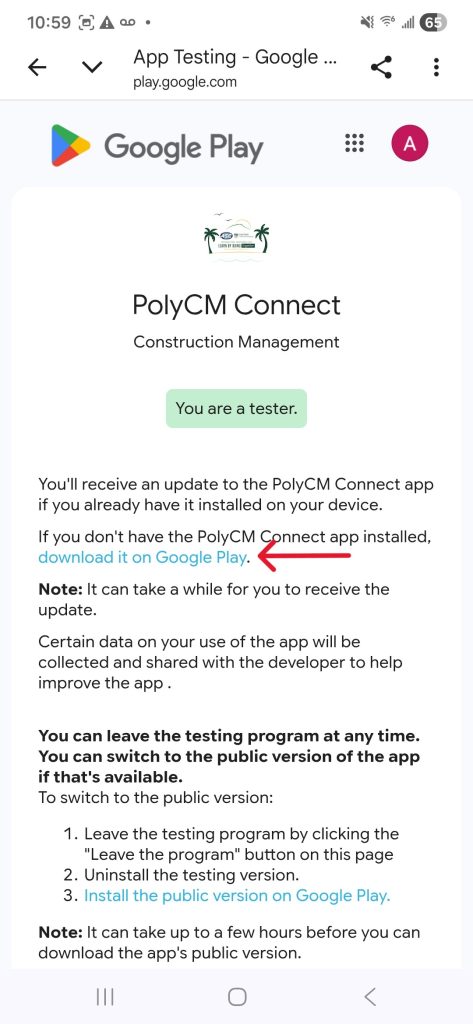
7. You will now be taken to the app listing on the play store. The app can now be installed!